
Table of contents
- What Proton VPN Secure Core Does
- How Secure Core Routes Your Traffic
- Secure Core VPN vs Regular VPN Connection
- Privacy Benefits of Proton VPN Secure Core
- It reduces exposure to compromised exit servers
- It strengthens protection against traffic correlation
- It uses privacy-friendly entry locations
- It fits a stronger threat model
- The Speed Impact You Should Expect
- Where to Enable Secure Core in Proton VPN
- General steps
- Practical setup tip
- Who Should Use Secure Core
- Who May Not Need Secure Core
- How to Decide If You Should Turn It On
- Important Limitations to Understand
- Bottom Line
- FAQ
- What is Proton VPN Secure Core?
- Does Secure Core make Proton VPN more private?
- Will Proton VPN Secure Core slow down my internet?
- Where do I turn on Secure Core in Proton VPN?
- Should I use Secure Core all the time?
Proton VPN Secure Core is an advanced privacy mode that routes your connection through a Proton-controlled server in a secure, privacy-friendly location before sending it to your chosen exit country. You should use it when you want stronger protection against compromised VPN servers, targeted monitoring, or high-risk networks. For everyday browsing, streaming, gaming, or speed-sensitive work, a regular Proton VPN connection is usually enough.
What Proton VPN Secure Core Does
Secure Core is Proton VPN's multi-hop VPN feature, but it is not just a random two-server route. The first server in the chain is part of Proton's Secure Core network and is located in a country with strong privacy protections, such as Switzerland, Iceland, or Sweden. Proton says these servers are owned and controlled by Proton and placed in carefully selected facilities with stronger physical and network security.
The idea is to protect the most sensitive part of a VPN connection: the point where your traffic enters the VPN network. If an attacker could monitor or compromise the final VPN server, Secure Core makes it much harder to trace activity back to your real IP address because the exit server only sees traffic coming from the Secure Core server, not directly from you.
In plain English: Secure Core adds a trusted first hop before your normal VPN exit server. It is built for people who care more about privacy resilience than maximum speed.
How Secure Core Routes Your Traffic
With a normal VPN connection, your device connects to one VPN server. That server replaces your real IP address with the VPN server's IP address and sends your traffic to the internet.
With Secure Core, the path is longer:
- Your device creates an encrypted VPN tunnel to a Secure Core server.
- That Secure Core server forwards your traffic through Proton's network to a second VPN server in your chosen exit country.
- The exit server sends your traffic to websites, apps, or online services.
- The website sees the IP address of the exit server, not your real IP address and not the Secure Core server's location.
For example, you might choose a Secure Core route that starts in Switzerland and exits in Germany. Your internet service provider can see that you are connecting to Proton VPN, but not what you are doing inside the tunnel. The German exit server can process your internet traffic, but it does not receive your real IP address directly because the connection comes through the Swiss Secure Core server first.
Secure Core VPN vs Regular VPN Connection
| Feature | Regular Proton VPN | Proton VPN Secure Core |
|---|---|---|
| Routing | Your traffic goes through one VPN server. | Your traffic goes through a Secure Core server first, then an exit server. |
| Privacy focus | Good for everyday privacy, public Wi-Fi, and hiding your IP address. | Better for users worried about compromised exit servers or targeted surveillance. |
| Speed | Usually faster because the route is shorter. | Usually slower because traffic takes an extra hop. |
| Best use cases | Browsing, streaming, downloads, travel, and general security. | Journalism, activism, sensitive research, travel in restrictive regions, and high-risk work. |
| Convenience | More server choices and often better performance. | Fewer routes and more performance trade-offs. |
Privacy Benefits of Proton VPN Secure Core
It reduces exposure to compromised exit servers
A VPN exit server is the server that connects to the public internet on your behalf. In a regular VPN setup, the exit server is also the server that receives your connection from your real IP address. Secure Core separates those roles. The exit server handles public internet traffic, while the Secure Core server is the point that sees your incoming VPN connection.
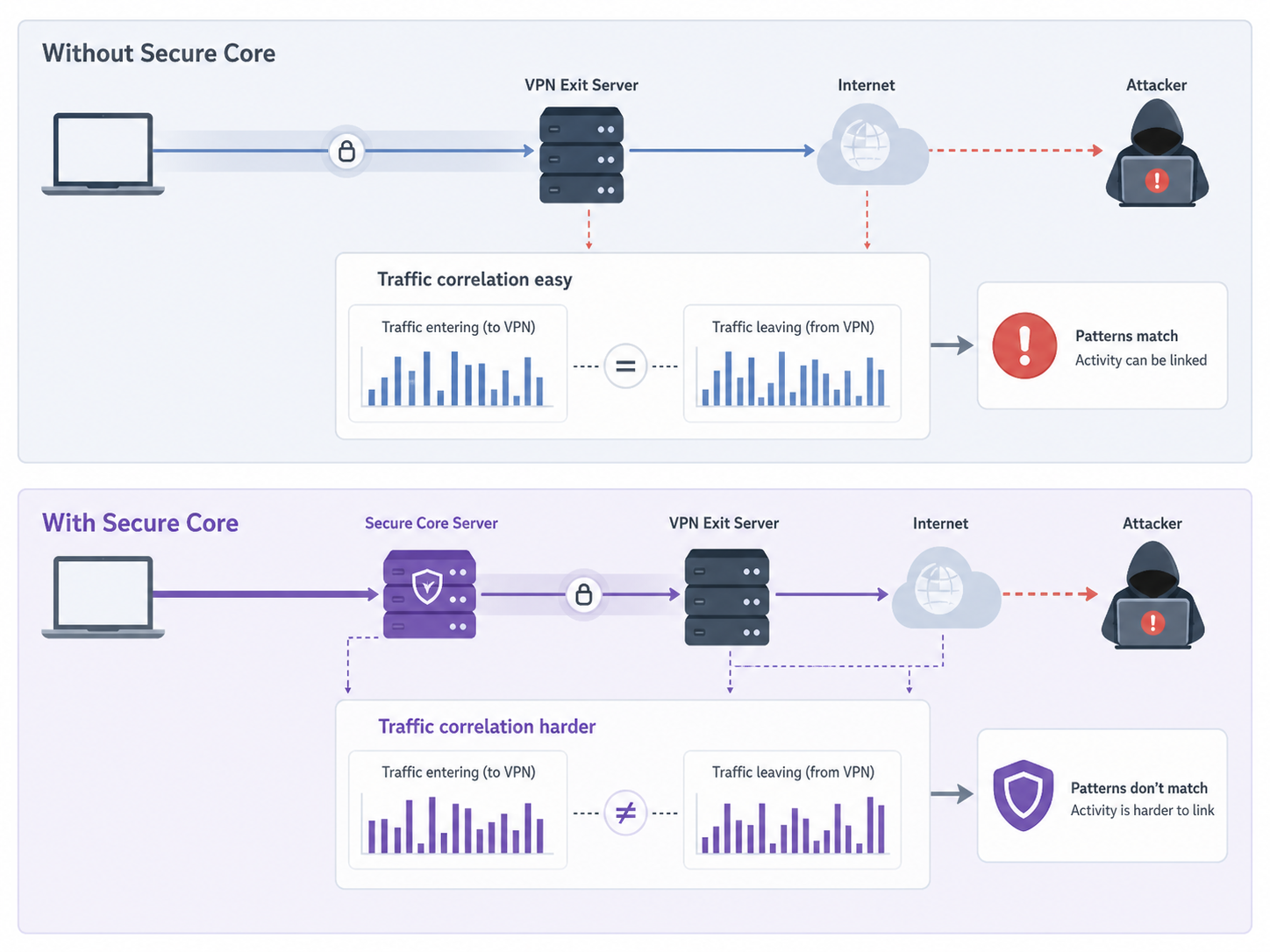
This matters because exit servers can be attractive targets. A hostile network operator, legal demand, data center issue, or server compromise could create risk. Secure Core does not make attacks impossible, but it makes correlation harder because the exit server should only see the Secure Core server as the previous hop.
It strengthens protection against traffic correlation
Traffic correlation is when an attacker tries to match activity entering and leaving a network by comparing timing, volume, or other patterns. No consumer VPN can guarantee complete protection against a powerful global adversary, but Secure Core adds friction. By routing traffic through Proton-controlled infrastructure first, it reduces the chance that a single compromised exit location can reveal both your real IP address and your destination activity.
It uses privacy-friendly entry locations
Secure Core servers are located in countries chosen for stronger privacy conditions and safer infrastructure. Proton's documentation highlights countries such as Switzerland, Iceland, and Sweden as Secure Core locations. This design is meant to avoid making the first hop depend on a random rented server in a high-risk jurisdiction.
It fits a stronger threat model
Most people use a VPN to hide their IP address from websites, protect traffic on public Wi-Fi, or reduce tracking by their internet provider. Secure Core is aimed at a narrower but important set of concerns: stronger privacy under pressure, safer routing through risky regions, and better protection if the final VPN server is being watched.
The Speed Impact You Should Expect
Secure Core can be slower than a normal VPN connection. That does not mean it is broken. It means your traffic is taking a longer route and being processed by two VPN servers instead of one.
The exact speed impact depends on several factors:
- Distance: A route that sends traffic across continents will usually feel slower than one that stays nearby.
- Server load: Busy servers can reduce speed, especially during peak hours.
- Exit country: Some destinations naturally require longer routing from the Secure Core entry point.
- Your activity: Browsing and messaging may feel fine, while gaming, 4K streaming, or large downloads may show the slowdown more clearly.
- Network quality: Hotel Wi-Fi, mobile networks, and congested home connections can make the extra hop more noticeable.
If speed matters more than the extra privacy layer, connect to a regular nearby Proton VPN server. If privacy matters more than speed, Secure Core is worth the trade-off.
Where to Enable Secure Core in Proton VPN
Secure Core is available in Proton VPN apps for paid users on supported plans. The exact layout can vary slightly by platform, but the setting is easy to find once you know what to look for.
General steps
- Open the Proton VPN app on your device.
- Sign in to your Proton VPN account.
- Look for the Secure Core option in the server list, country list, or connection profile area.
- Turn on Secure Core or open the Secure Core server list.
- Choose the country where you want your traffic to exit.
- Connect and confirm that the app shows a Secure Core route.
On many Proton VPN apps, Secure Core routes are shown separately from standard country servers. You may see routes that indicate both the Secure Core entry location and the final exit country. Pick the route based on where you want websites to think you are located, not only the Secure Core entry country.
Practical setup tip
If you plan to use Secure Core often, create a profile or favorite route if your Proton VPN app supports it. That saves time and helps avoid accidentally using a standard server when you meant to use Secure Core.
Who Should Use Secure Core
Secure Core is most useful when the privacy benefit justifies the slower route. It is not only for experts, but it is especially valuable for people with a higher risk profile.
- Journalists and researchers: Useful when investigating sensitive topics or communicating across borders.
- Activists and civil society workers: Helpful when privacy risks are higher than normal.
- Travelers in restrictive regions: Useful when local networks may be monitored or hostile.
- Privacy-focused professionals: Helpful for lawyers, analysts, or consultants handling sensitive work.
- Users worried about VPN infrastructure attacks: Useful if your concern is not just hiding your IP address, but reducing exposure if an exit server is targeted.
Who May Not Need Secure Core
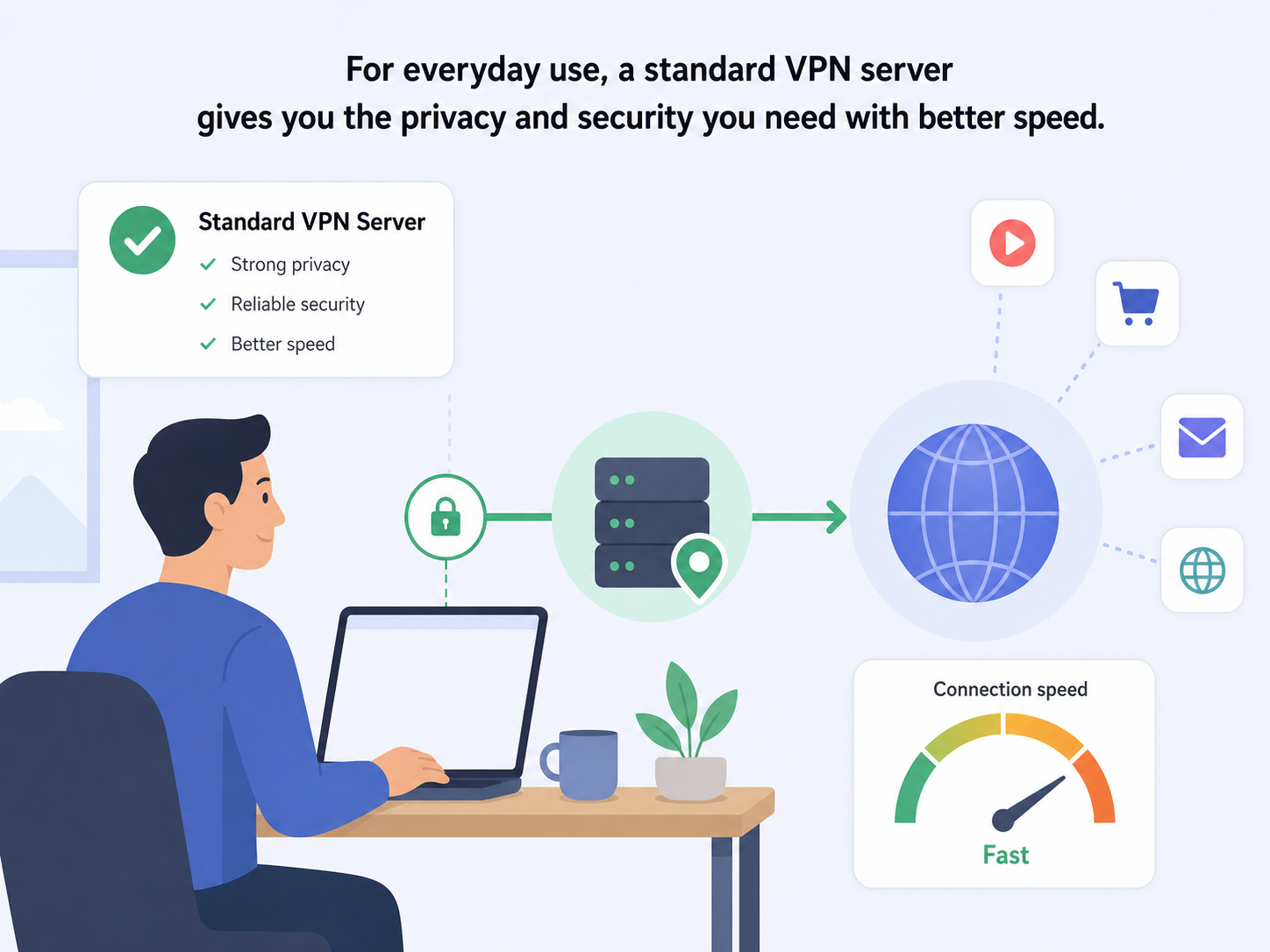
Secure Core is not necessary for every VPN session. In many normal situations, a standard Proton VPN server gives you the privacy and security you need with better speed.
- Streaming users: A regular server is usually faster and more reliable for video.
- Gamers: Secure Core often adds latency, which can hurt real-time gameplay.
- Casual browsing: If you are reading news, shopping, or using social media, the extra hop may be unnecessary.
- Large downloads: Standard nearby servers usually perform better.
- Low-risk public Wi-Fi use: A normal VPN connection is often enough to protect traffic on cafes, airports, or hotels.
How to Decide If You Should Turn It On
A good way to choose is to think in terms of risk and performance. If your main goal is everyday privacy with smooth speed, use a regular VPN server. If your main goal is stronger protection against targeted monitoring or risky infrastructure, use Secure Core.
| Your situation | Recommended choice | Why |
|---|---|---|
| Watching video or joining video calls | Regular VPN | Lower latency and better bandwidth usually matter more. |
| Checking email on airport Wi-Fi | Regular VPN | Standard encryption is usually enough for this risk level. |
| Researching sensitive political or legal topics | Secure Core | The extra routing layer can reduce exposure to targeted monitoring. |
| Working from a country with heavy internet surveillance | Secure Core | Stronger routing design may be worth the speed trade-off. |
| Downloading large files | Regular VPN | The shorter route is usually faster. |
Important Limitations to Understand
Secure Core improves privacy, but it does not make you anonymous by itself. Websites can still identify you if you sign in to personal accounts, accept tracking cookies, reuse browser fingerprints, or reveal personal details. It also does not replace good device security, safe browsing habits, encrypted messaging, or careful account hygiene.
It is also important to choose the right exit country. The exit country is what websites and services usually see. If you need an IP address in a specific country, make sure your Secure Core route exits there.
Bottom Line
Proton VPN Secure Core is worth using when your privacy needs are higher than average and you can accept slower speeds. It is especially useful for sensitive work, restrictive networks, and situations where a compromised exit server is part of your threat model. If you mainly want a VPN for routine browsing, streaming, or public Wi-Fi protection, a regular Proton VPN server is simpler and faster.
The best approach is not to leave it on blindly or ignore it completely. Use Secure Core when the situation calls for stronger privacy, and switch back to a standard server when performance matters more.
FAQ
What is Proton VPN Secure Core?
Proton VPN Secure Core is a multi-hop privacy feature that sends your traffic through a Proton-controlled Secure Core server before it reaches the final VPN exit server. It is designed to reduce the risk of compromised exit servers exposing your real IP address.
Does Secure Core make Proton VPN more private?
Yes, it can improve privacy by separating your real VPN entry point from the public exit server. This is most useful against targeted monitoring, hostile networks, or attacks on VPN infrastructure.
Will Proton VPN Secure Core slow down my internet?
Usually, yes. Secure Core adds an extra server hop, which can increase latency and reduce speed. The impact depends on distance, server load, and the exit country you choose.
Where do I turn on Secure Core in Proton VPN?
Open the Proton VPN app, find the Secure Core option in the server or country list, choose a Secure Core route, and connect. The app should show that your connection is using Secure Core.
Should I use Secure Core all the time?
Most users do not need it all the time. Use Secure Core for sensitive browsing, high-risk travel, or stronger privacy needs. Use a regular VPN server when speed, streaming, gaming, or downloads matter more.