
Table of contents
- How Proton VPN works for streaming
- Free plan vs paid plan for streaming
- How to choose the right Proton VPN streaming server
- Start with the country, not the title
- Prefer Plus servers with lower load
- Avoid privacy-heavy routes for video
- Save a working server as a profile
- Step-by-step setup for streaming with Proton VPN
- Speed requirements for smooth playback
- Troubleshooting Proton VPN playback errors
- If you see a proxy or unblocker message
- If Netflix or another app shows the wrong catalog
- If the stream buffers or drops quality
- If only one device has problems
- Using Proton VPN with Netflix
- Legal and platform policy considerations
- When Proton VPN is a good streaming choice
- Practical conclusion
- FAQ
- Does Proton VPN work with Netflix?
- Can I use Proton VPN Free for streaming?
- Which Proton VPN server should I choose for streaming?
- Why does my streaming app still detect Proton VPN?
- Is it legal to stream with Proton VPN?
Yes, you can use Proton VPN for streaming, including as a VPN for Netflix, but the experience depends heavily on your plan and server choice. Proton VPN streaming is mainly intended for paid users on Plus servers in supported countries. Free servers are useful for privacy and basic browsing, but they are not designed for reliable streaming and may be slower, busier, or blocked by video platforms.
The short version is simple: use a paid Proton VPN plan, connect to a streaming-supported Plus server in the country where the service or catalog is available, and switch servers if playback fails. Streaming services update their VPN detection often, so no VPN can guarantee every title or platform every day, but Proton VPN gives you the tools needed for a solid setup.
How Proton VPN works for streaming
Proton VPN routes your internet connection through an encrypted VPN server. To a streaming service, your traffic appears to come from the VPN server location rather than your physical location. This can help with privacy on public Wi-Fi, avoid some network-level throttling, and access your usual streaming account while traveling in a supported region.
For streaming, the important detail is not just encryption. It is whether the VPN server is recognized, fast enough, and located in the right country. Proton maintains Plus servers that are better suited for streaming than its free servers. These are the servers you should use when watching Netflix, Disney+, Prime Video, BBC iPlayer, Max, Hulu, or other location-sensitive video apps, assuming you have a valid subscription to the service.
Streaming availability can change because platforms constantly adjust their proxy and VPN detection. If one server does not work, that does not always mean Proton VPN is unusable for the service. It often means you need a different Plus server or a cleaner app/browser session.
Free plan vs paid plan for streaming
If your main goal is streaming, the free plan is the wrong place to start. Proton VPN Free is generous for privacy-focused browsing, but it is not built as a streaming plan. Paid plans, such as VPN Plus or Proton Unlimited, provide access to Plus servers, higher speeds, broader country selection, and better streaming support.
| Option | Best use | Streaming suitability | What to know |
|---|---|---|---|
| Proton VPN Free | Basic privacy, secure browsing, occasional light use | Low | Streaming is not the focus, server choice is limited, and platforms may block playback. |
| Paid Plus servers | Netflix, TV apps, sports apps, travel streaming | High | Use these for Proton VPN streaming servers in the country you need. |
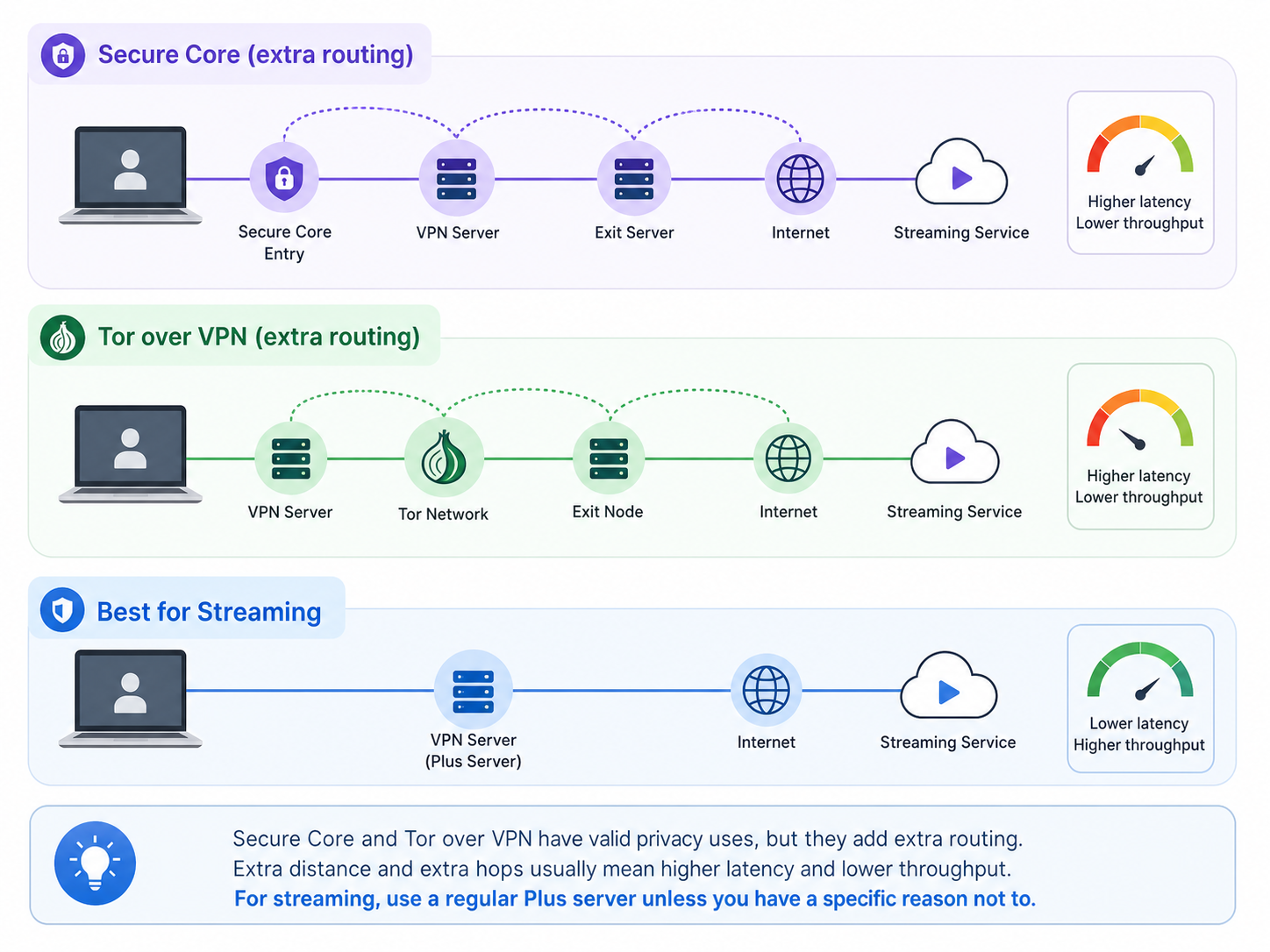
| Secure Core servers | Extra privacy routing through hardened servers | Usually not ideal | Better for privacy-sensitive browsing than high-speed video playback. |
| Tor over VPN servers | Accessing onion sites or adding Tor routing | Not recommended | Too slow and likely to trigger streaming blocks. |
How to choose the right Proton VPN streaming server
Server selection is the biggest practical factor. A fast VPN app cannot help much if you connect to a crowded server on the other side of the world or to a location where the streaming service does not have rights to show the content you want.
Start with the country, not the title
Choose a server in the country where the streaming service is available and where your account can normally access the content. If you are traveling and want to watch your home catalog, connect to a Plus server in your home country. If you only care about privacy and not regional catalogs, choose the nearest Plus server with low load.
Prefer Plus servers with lower load
Server load matters because streaming is continuous. A server that feels fine for browsing can still buffer during a 4K movie or live sports event. In Proton VPN apps, look for low-load servers when possible. If the app offers a fastest server option for the country you need, that is often the easiest starting point.
Avoid privacy-heavy routes for video
Secure Core and Tor over VPN have valid privacy uses, but they add extra routing. Extra distance and extra hops usually mean higher latency and lower throughput. For streaming, use a regular Plus server unless you have a specific reason not to.
Save a working server as a profile
If a specific server works well with Netflix or another app, save it in Proton VPN if your app supports profiles or favorites. This saves time and reduces trial and error later, especially for devices connected to a TV where typing and testing are annoying.
Step-by-step setup for streaming with Proton VPN
- Check that your Proton VPN plan includes Plus servers. If you are on the free plan, upgrade before expecting reliable streaming support.
- Update the Proton VPN app on your device. Streaming fixes and protocol improvements often arrive through app updates.
- Pick the country that matches the streaming service or catalog you want to access.
- Connect to a Plus server with low load. If you are unsure, use the fastest available Plus server in that country.
- Use a modern protocol such as WireGuard or let Proton VPN choose automatically with Smart Protocol.
- Open the streaming app or website after the VPN connection is active. If it was already open, close it fully and reopen it.
- Test playback with a normal title first. If it works, then try the specific show, film, or live event you want.
- If you see a proxy or location error, switch to another Plus server in the same country and try again.
Speed requirements for smooth playback
VPN speed depends on your base internet connection, distance to the server, server load, device performance, and protocol. Proton VPN includes performance features such as VPN Accelerator, but you still need enough real-world bandwidth for the video quality you want.
| Streaming quality | Typical minimum speed | Practical VPN target | Notes |
|---|---|---|---|
| SD | 3 Mbps | 5 Mbps or more | Good for mobile screens or older shows. |
| HD 720p or 1080p | 5 to 8 Mbps | 10 to 15 Mbps | A safe target for most Netflix-style viewing. |
| 4K UHD | 15 to 25 Mbps | 35 Mbps or more | Needs more headroom because VPN speeds can fluctuate. |
| Live sports | 10 to 25 Mbps | 30 Mbps or more with low latency | Consistency matters as much as raw speed. |
If your stream buffers, first test your speed without the VPN. If the base connection is already weak, changing VPN servers will only help so much. If the base speed is strong but VPN speed is poor, switch to a nearer Plus server, change protocol, or avoid busy evening hours in the selected country.
Troubleshooting Proton VPN playback errors
Most streaming problems fall into a few patterns: the platform detects a VPN, the catalog looks wrong, video buffers, or the app refuses to play even though the website works. Work through the basics before assuming the VPN does not support the service.
If you see a proxy or unblocker message
- Disconnect and reconnect to a different Plus server in the same country.
- Close the streaming app completely, not just the video window, then reopen it.
- Clear browser cookies and cache if you are watching in a browser.
- Try a private browsing window after connecting to Proton VPN.
- Make sure you are not using a free, Secure Core, or Tor server for the stream.
If Netflix or another app shows the wrong catalog
This usually means the service is using cached location data, account region rules, device location settings, or payment-region information. Connect to the correct Plus server before opening the app, then sign out and back in if needed. On mobile devices, location services and app permissions can also affect what the platform sees.
If the stream buffers or drops quality
- Pick a lower-load server in the same country.
- Use WireGuard or Smart Protocol in the Proton VPN app.
- Move closer to your Wi-Fi router or use Ethernet for TV devices.
- Pause downloads, cloud backups, game updates, and other heavy traffic.
- Try a nearby country only if the service and content are available there.
If only one device has problems
The issue may be local to that device. Update the streaming app, update Proton VPN, restart the device, and check whether custom DNS, browser extensions, ad blockers, or privacy settings are interfering. Proton VPN normally handles DNS through the VPN tunnel, but custom device settings can still cause odd location behavior.
Using Proton VPN with Netflix
Proton VPN can work as a VPN for Netflix when you use paid Plus servers in supported countries. The usual approach is to connect to a Plus server in the Netflix region you want, then open Netflix after the VPN connection is established. If Netflix shows an error or a limited catalog, switch to another Plus server in the same region and refresh the session.
Keep expectations realistic. Netflix licensing is complicated, and its VPN detection changes regularly. A server that works today may need to be changed later. Also, a VPN does not replace a Netflix subscription and does not grant access to content that is unavailable under your account, plan, device, or local platform rules.
Legal and platform policy considerations
Using a VPN is legal in many countries, but not everywhere and not in every context. Local law matters, especially if you are in a country with restrictions on VPN use. You should also consider the streaming platform's terms of service. Many services restrict attempts to access content outside licensed regions, even if the act of using a VPN itself is not a crime where you live.
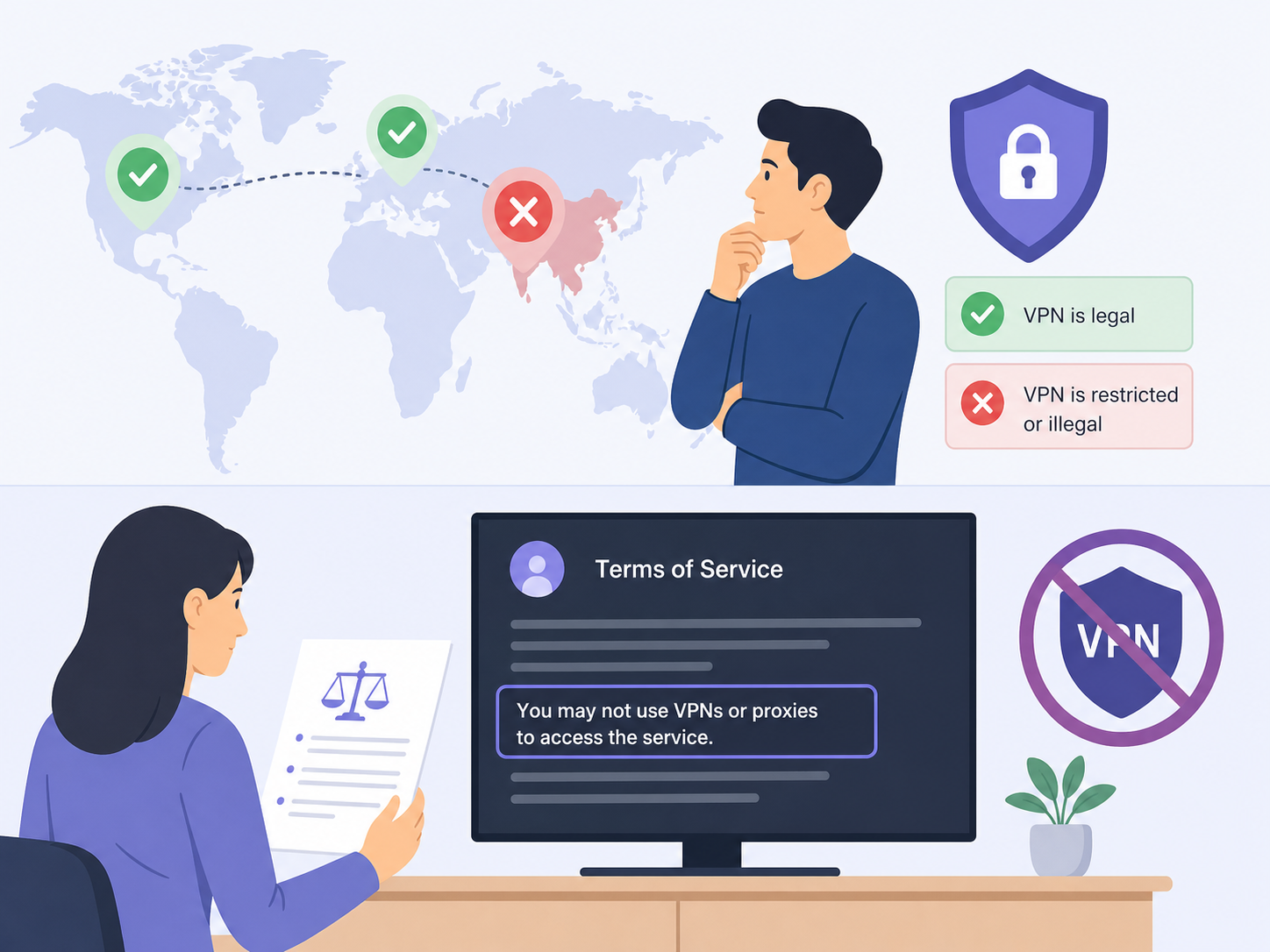
There is also a difference between privacy and rights avoidance. It is reasonable to use Proton VPN to secure your connection on hotel Wi-Fi, reduce exposure on public networks, or access your usual account while traveling. It is riskier to use any VPN to bypass regional licensing rules in a way the platform prohibits. The likely consequence is usually a playback block, account warning, or temporary access issue, but each platform has its own policy.
When Proton VPN is a good streaming choice
Proton VPN makes sense if you want one VPN that balances privacy, open-source apps, strong security practices, and streaming support on paid servers. It is especially suitable if you already use Proton services or want a VPN that is not built only around entertainment claims.
It may not be the best fit if you only want the cheapest possible streaming workaround or if you expect every international catalog to work without occasional server switching. Streaming over VPN always involves some maintenance because platforms actively block known VPN traffic.
Practical conclusion
Proton VPN can be used for streaming, but you should treat the paid Plus server network as the baseline. Choose the correct country, use a low-load Plus server, keep the app updated, and have a simple troubleshooting routine ready. For Netflix and other major platforms, this approach gives you the best chance of reliable playback without wasting time guessing.
If you are on Proton VPN Free, the honest answer is that it is not a dependable streaming setup. If streaming matters, use a paid plan, check Proton's current support guidance for the service you care about, and remember that platform rules and regional rights still apply.
FAQ
Does Proton VPN work with Netflix?
Yes, Proton VPN can work with Netflix when you use paid Plus servers in supported countries. If Netflix shows a VPN or proxy error, switch to another Plus server in the same country and reopen Netflix.
Can I use Proton VPN Free for streaming?
Proton VPN Free is not recommended for streaming. Free servers are not designed for reliable video playback and may be blocked or too limited for services like Netflix.
Which Proton VPN server should I choose for streaming?
Choose a Plus server in the country where the streaming service or catalog is available. For best performance, pick a low-load server that is geographically close to you when possible.
Why does my streaming app still detect Proton VPN?
The app may have cached your old location, detected a known VPN IP address, or used device location data. Switch Plus servers, clear app or browser data, and restart the streaming app after connecting.
Is it legal to stream with Proton VPN?
VPN use is legal in many places, but laws vary. Streaming with a VPN may also conflict with a platform's regional licensing rules or terms of service, so check local rules and the service policy.