
Table of contents
- How Proton VPN P2P Support Works
- Does Proton VPN support torrenting on the free plan?
- How to Find Torrent-Friendly Proton VPN Servers
- Proton VPN Server Options for Torrenting
- Recommended Privacy Settings Before Torrenting
- 1. Turn on the kill switch
- 2. Use DNS leak protection
- 3. Use WireGuard or Smart protocol for speed
- 4. Be careful with split tunneling
- 5. Bind your torrent client to the VPN interface
- Does Proton VPN Offer Port Forwarding for Torrenting?
- How to use port forwarding safely
- Safe Torrenting Practices With Proton VPN
- Common Proton VPN Torrenting Problems
- Slow torrent speeds
- Torrent client shows no incoming connections
- VPN disconnects during downloads
- Real IP appears in a torrent leak test
- Final Verdict
- FAQ
- Can you use Proton VPN for torrenting?
- Does Proton VPN P2P work on every server?
- Is Proton VPN free good for torrenting?
- Do I need port forwarding for Proton VPN torrenting?
- Will Proton VPN hide torrenting from my ISP?
Yes. Proton VPN torrenting is supported, but you should use Proton VPN P2P servers rather than connecting to a random location. Proton allows BitTorrent and other peer-to-peer traffic on servers marked for P2P, mainly for paid users, and the safer setup is to connect to a P2P server first, enable the kill switch, then open your torrent client only after the VPN tunnel is active.
That short answer covers the main point, but the details matter. A P2P VPN can hide your real IP address from other peers and prevent your internet provider from seeing the specific torrent traffic, but it does not make unsafe downloads safe or make copyright law irrelevant. The right server, leak protection, kill switch behavior, and torrent client settings all affect how private and stable your session is.
How Proton VPN P2P Support Works
Proton VPN supports P2P traffic on specific servers that are optimized and permitted for torrenting. In the Proton VPN apps, these servers are usually marked with a P2P icon, often shown as two arrows. If you plan to use BitTorrent, those are the servers you should choose.
Using a P2P-marked server matters because not every VPN server is intended for peer-to-peer traffic. Non-P2P servers may be optimized for normal browsing, streaming, or general privacy, and torrent traffic may be blocked, redirected, or perform poorly. Proton's own guidance is clear on this point: choose a P2P server when torrenting instead of assuming every location is suitable.
Does Proton VPN support torrenting on the free plan?
Proton VPN's free servers are not the right choice for torrenting. Free servers are designed for basic private browsing and do not provide the same P2P support as paid servers. If torrenting is a regular use case, you should treat a paid Proton VPN plan with P2P access as the practical requirement.
How to Find Torrent-Friendly Proton VPN Servers
The easiest way to identify torrent-friendly servers is to look for the P2P icon in the Proton VPN app. Server labels can vary slightly by platform, but the idea is the same: choose a server or country location that is clearly marked as supporting P2P.
- Open the official Proton VPN app and sign in.
- Go to the country or server list.
- Look for the P2P icon next to a country or individual server.
- Choose a nearby P2P server with reasonable load for better speed.
- Connect to the VPN before launching your torrent client.
- Wait until the app confirms the VPN connection is active.
If the app offers profiles or quick-connect options for P2P, you can use them to reduce mistakes. Still, it is worth checking the chosen server manually, especially if you are troubleshooting slow speeds or connection drops.
Proton VPN Server Options for Torrenting
| Server type | P2P support | Best use | Notes |
|---|---|---|---|
| P2P-marked paid servers | Yes | Torrenting, seeding, general P2P apps | Use these first for Proton VPN P2P activity. |
| Regular paid servers without P2P icon | Not intended for P2P | Browsing, streaming, everyday privacy | May block, redirect, or perform poorly with torrents. |
| Free servers | No practical P2P support | Basic private browsing | Not recommended for torrenting. |
| Secure Core routes | Depends on available route and performance | Higher-risk privacy situations | Usually slower, so it is not the default choice for torrents. |
Recommended Privacy Settings Before Torrenting
Before starting a torrent client, set up Proton VPN so a connection drop does not expose your real IP address. Most torrent privacy problems happen during brief disconnects, after app restarts, or when the torrent client opens before the VPN is ready.
1. Turn on the kill switch
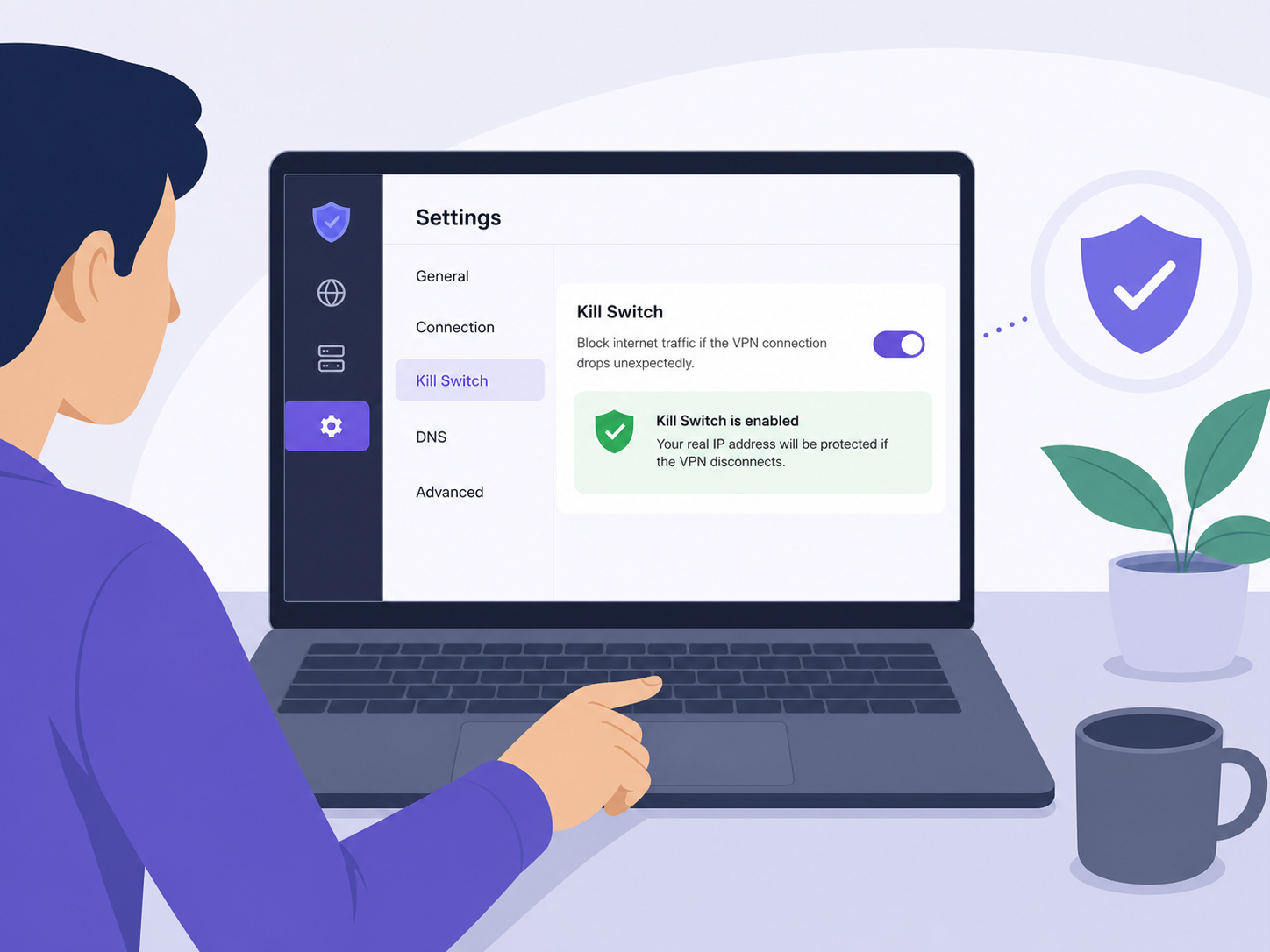
The kill switch is the most important setting for torrenting. It blocks internet traffic if the VPN disconnects unexpectedly, reducing the chance that your real IP address appears in a peer swarm. If your Proton VPN app offers a permanent kill switch, consider using it when you want traffic blocked unless the VPN is connected.
Do not assume the kill switch is enabled by default on every device. Open the app settings and confirm it yourself before using a torrent client.
2. Use DNS leak protection
Proton VPN apps are designed to route DNS requests through the VPN, but it is still smart to test for DNS leaks after setup. A DNS leak can reveal the domains your device is trying to reach even when the torrent data itself goes through the VPN tunnel.
3. Use WireGuard or Smart protocol for speed
For most people, WireGuard or the app's Smart protocol setting is the best balance of speed and reliability. If your network blocks VPN traffic, try another supported protocol in the Proton VPN app. Speed matters for torrents, but stability matters more than chasing the fastest number on a speed test.
4. Be careful with split tunneling
Split tunneling can be useful, but it is easy to configure badly. If you use it, make sure your torrent client is included in the VPN tunnel, not excluded from it. For a simpler and safer setup, leave split tunneling off while torrenting.
5. Bind your torrent client to the VPN interface
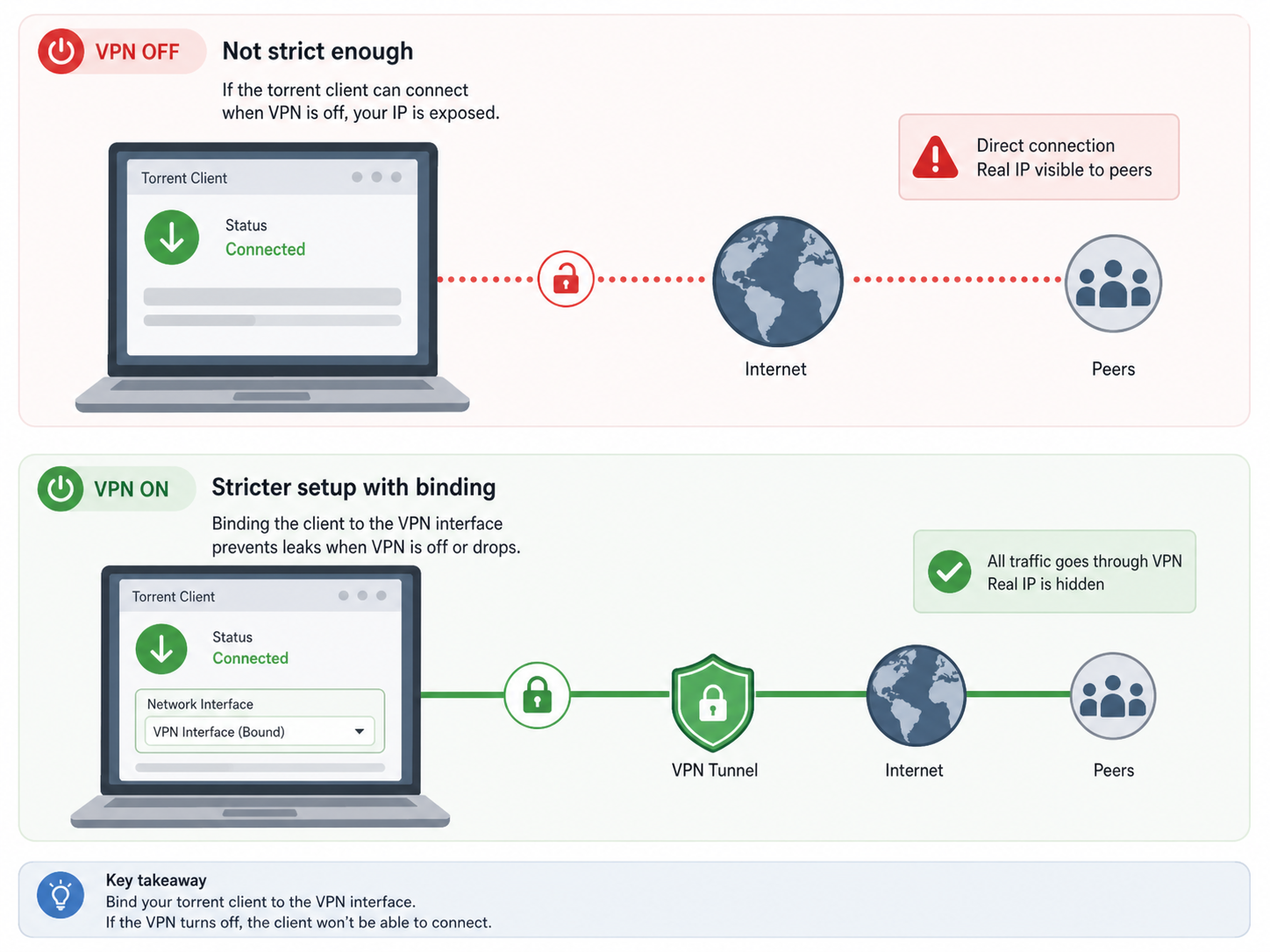
If your torrent client supports it, bind the client to the Proton VPN network interface. This adds another layer of protection because the torrent client will only use the VPN interface instead of falling back to your normal network connection. In qBittorrent, for example, this option is usually found in the advanced network interface settings.
Does Proton VPN Offer Port Forwarding for Torrenting?
Yes, Proton VPN has offered port forwarding for paid users on supported apps, especially Windows and Linux. It is not a universal feature across every Proton VPN app, device, or connection method, so you should check your current app before relying on it. Port forwarding is mainly useful for improving incoming peer connections, which can help with seeding and sometimes download performance.
Port forwarding does not make torrenting anonymous by itself. It simply opens a controlled inbound port through the VPN so other peers can reach your torrent client more easily. Your privacy still depends on using the VPN correctly, keeping the kill switch active, and avoiding leaks.
How to use port forwarding safely
- Connect to a Proton VPN P2P server that supports port forwarding.
- Enable port forwarding in the Proton VPN app if your platform supports it.
- Copy the port number shown by Proton VPN.
- Paste that number into your torrent client's listening port setting.
- Update the port again if Proton VPN gives you a new one after reconnecting.
If port forwarding is unavailable on your device, you can still torrent through Proton VPN P2P servers. You may simply see fewer incoming peer connections, especially when seeding.
Safe Torrenting Practices With Proton VPN
A VPN is only one part of safer torrenting. The files you choose, the client you use, and the way you configure your device all matter. Use the checklist below before making torrenting a habit.
- Download only legal or properly licensed content.
- Update Proton VPN and your torrent client regularly.
- Connect to a P2P server before opening the torrent client.
- Keep the kill switch enabled for the whole session.
- Test your torrent IP with a reputable leak test before large downloads.
- Do not disable firewall or security tools just to gain speed.
- Avoid suspicious executables, cracked software, and unknown archives.
- Pause torrents before switching VPN servers.
A useful rule is simple: if your torrent client can connect when Proton VPN is off, your setup may not be strict enough. Binding the client to the VPN interface helps close that gap.
Common Proton VPN Torrenting Problems
Slow torrent speeds
Choose a closer P2P server, avoid overloaded locations, use WireGuard or Smart protocol, and check whether your torrent has enough healthy seeders. If you are trying to seed, port forwarding may help when available.
Torrent client shows no incoming connections
This is often related to NAT or missing port forwarding. If your Proton VPN app supports port forwarding, enable it and copy the active port into your torrent client. If not, downloads may still work, but seeding can be less efficient.
VPN disconnects during downloads
Turn on the kill switch, pause torrents before changing servers, and check whether your device is sleeping or switching networks. On laptops, unstable Wi-Fi can cause more problems than the VPN itself.
Real IP appears in a torrent leak test
Stop the torrent client immediately. Reconnect to a Proton VPN P2P server, confirm the kill switch is enabled, bind the torrent client to the VPN interface, and retest before downloading anything else.
Final Verdict
Proton VPN is a solid choice for torrenting if you use it the way Proton intends: connect to P2P-marked servers, keep the kill switch on, and use port forwarding when your app supports it. It is not a shortcut around safe behavior, and the free plan should not be treated as a torrenting option. For most users, the best setup is a nearby paid P2P server, WireGuard or Smart protocol, kill switch enabled, leak tests passed, and the torrent client bound to the VPN interface.
FAQ
Can you use Proton VPN for torrenting?
Yes. Proton VPN supports torrenting on dedicated P2P servers. For the best results, use a paid plan, choose a server with the P2P icon, and enable the kill switch before opening your torrent client.
Does Proton VPN P2P work on every server?
No. Proton VPN P2P traffic should be used on servers marked for P2P. Regular servers are not intended for torrenting and may block, redirect, or perform poorly with peer-to-peer traffic.
Is Proton VPN free good for torrenting?
No. Proton VPN's free servers are designed for basic private browsing, not torrenting. If you need reliable P2P VPN support, use a paid Proton VPN plan with access to P2P servers.
Do I need port forwarding for Proton VPN torrenting?
No, but it can help. Port forwarding can improve incoming peer connections and seeding performance when supported by your Proton VPN app and server. It is useful, not mandatory.
Will Proton VPN hide torrenting from my ISP?
Proton VPN can hide the contents and destination of your VPN traffic from your ISP, so the ISP sees an encrypted VPN connection rather than your torrent activity. It does not make unsafe or illegal downloads risk-free.