
Table of contents
- Do You Need a Paid Account to Use Proton VPN?
- What You Can Do After Downloading Proton VPN
- If You Already Have a Proton Account
- If You Do Not Have an Account Yet
- What Is Included in the Proton VPN Free Plan?
- Free Plan vs Paid Plans
- Platform Availability and Limitations
- Windows and macOS
- Android and iOS
- Linux
- Browser Extensions
- When a Free Account Is Enough
- When You May Need a Paid Plan
- Safe Download Tips Before Installing
- Bottom Line
- FAQ
- Can I use Proton VPN without any account?
- Is the Proton VPN free account really free?
- Do I need a credit card for the Proton VPN free plan?
- What happens after I download Proton VPN?
- Why upgrade from Proton VPN Free to a paid plan?
Yes, you can complete a proton vpn download without creating a paid account. However, you still need a Proton account to sign in and use the VPN service. Proton VPN offers a free plan, so you can create a free account, install the app, and connect to free VPN servers without entering payment details.
The important distinction is simple: downloading the app is not the same as using the VPN. The installer or app can usually be downloaded first, but the VPN connection requires login credentials tied to either a free or paid Proton VPN plan.
Do You Need a Paid Account to Use Proton VPN?
No. A paid account is not required for basic VPN use. Proton VPN has a free plan designed for users who want private browsing protection without a subscription. The free plan is more limited than paid plans, but it is not a trial that expires after a few days.
In practical terms, you need one of the following:
- A Proton VPN free account if you want basic VPN access at no cost.
- A paid Proton VPN account if you want faster speeds, more server locations, streaming support, P2P support, and advanced privacy features.
You do not normally need to provide a credit card for the free plan. You create an account, verify it if prompted, install the app, sign in, and connect.
What You Can Do After Downloading Proton VPN
After downloading and installing the app, your next steps depend on whether you already have an account.
If You Already Have a Proton Account
- Open the Proton VPN app on your device.
- Sign in with your existing Proton account credentials.
- Choose an available server or use the quick connect option.
- Confirm that the VPN status shows as connected.
- Browse, use apps, or access public Wi-Fi with the VPN tunnel active.
If You Do Not Have an Account Yet
- Download the app from the official Proton VPN website or your device’s app store.
- Open the app and choose the option to create an account.
- Select the free plan if you do not want a paid subscription.
- Complete any required email or human verification step.
- Sign in and connect to one of the available free servers.
For safety, use the official proton vpn download source rather than third-party software mirrors. VPN apps handle sensitive traffic, so installing a modified or outdated installer can create unnecessary security risks.
What Is Included in the Proton VPN Free Plan?
The Proton VPN free plan gives you access to VPN protection without a monthly fee. It is suitable for basic privacy, safer browsing on public Wi-Fi, and hiding your IP address from websites and network operators.
Typical free plan benefits include:

- No subscription payment required.
- No fixed short trial period for normal free use.
- Encrypted VPN connection for supported devices.
- Access to a limited number of free VPN server locations.
- Basic privacy protection from the same VPN provider as the paid plans.
The trade-off is that free users get fewer server choices and fewer performance features. During busy periods, free servers may also feel slower than paid servers because more users share the same limited pool.
Free Plan vs Paid Plans
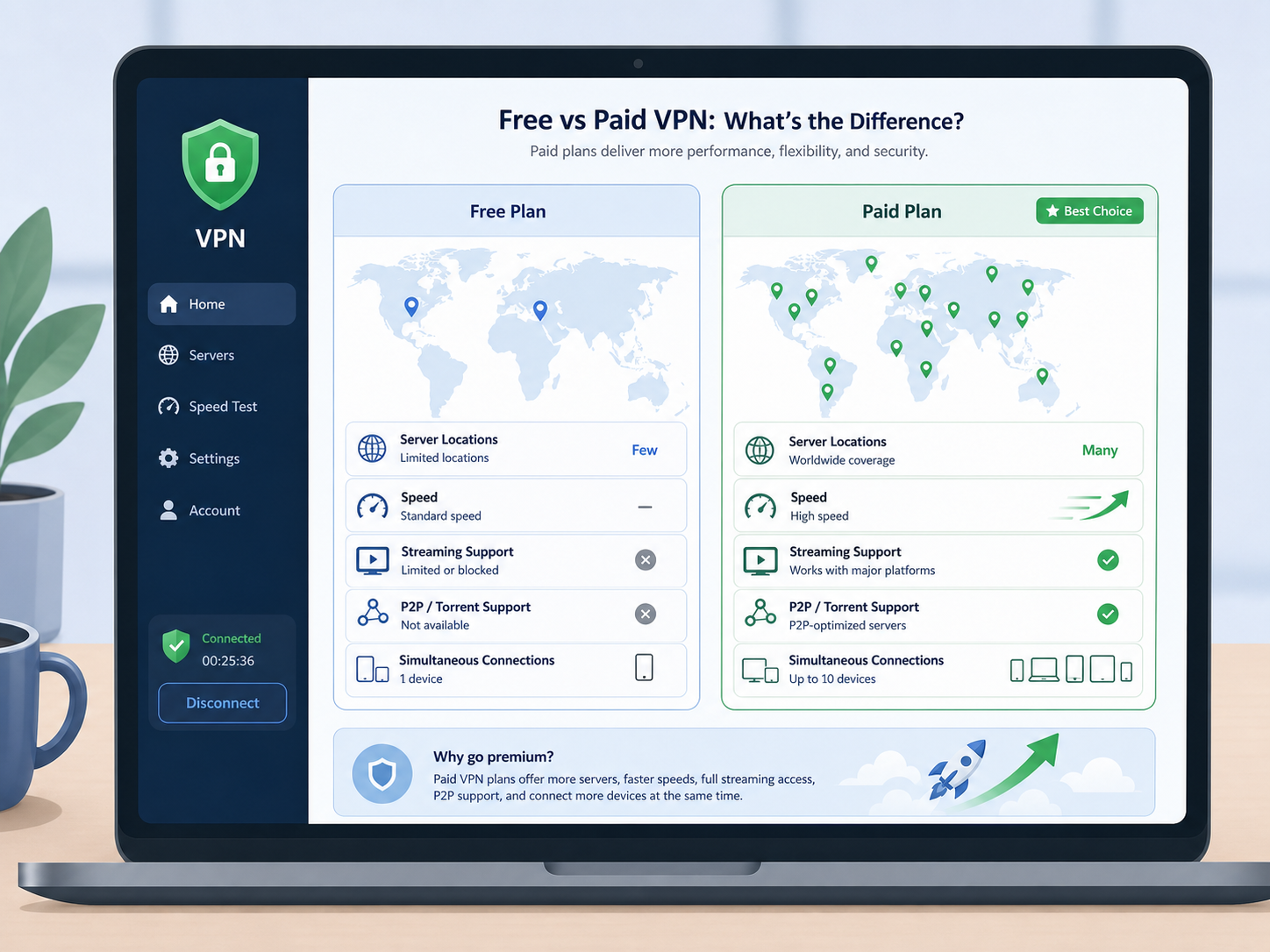
The free plan is enough for many people who simply want a trusted VPN for everyday browsing. Paid plans are better if you need consistent speed, more locations, streaming access, torrenting support, or advanced tools.
| Feature | Proton VPN Free Plan | Paid Proton VPN Plans |
|---|---|---|
| Cost | Free | Monthly, yearly, or longer-term subscription |
| Account required | Yes, free Proton account | Yes, paid Proton account |
| Payment details | Usually not required for free use | Required to subscribe |
| Server locations | Limited free locations | Much larger server network across more countries |
| Speed | Suitable for basic browsing, but may be limited | Generally faster and better for heavy use |
| Streaming support | Limited or not optimized | Better support for streaming platforms |
| P2P/torrenting | Not usually supported on free servers | Supported on selected paid servers |
| Advanced features | Limited | May include Secure Core, NetShield, more simultaneous connections, and specialty servers |
Platform Availability and Limitations
Proton VPN is available on major platforms, but the exact experience can vary by device, operating system version, and app store rules.
Windows and macOS
On desktop, you can download the installer, install the app, and then sign in. Free accounts can connect to the free servers available in the app. Paid features remain locked unless your account has an active subscription.
Android and iOS
On mobile, you can install Proton VPN from the relevant app store. You may need an Apple ID or Google account to download the app from the store, but that is separate from your Proton VPN account. After installation, you still sign in with your Proton account.
Linux
Linux support may require using official packages, repositories, or command-line steps depending on your distribution. The account requirement is the same: you can use a free account, but some setup details may be more technical than on Windows or macOS.
Browser Extensions
If you use a browser extension, remember that it usually protects browser traffic only, not every app on your device. The full desktop or mobile VPN app is the better choice if you want device-wide protection.
When a Free Account Is Enough
A proton vpn free account is a good fit if your needs are modest. For example, it works well when you want to protect browsing on hotel Wi-Fi, reduce tracking based on your IP address, or test the service before paying.
The free plan is usually enough if you:
- Use the VPN occasionally rather than all day for heavy traffic.
- Do not need a specific country or city server.
- Do not rely on VPN access for streaming libraries.
- Do not need torrenting or specialty servers.
- Are comfortable with fewer connection options.
When You May Need a Paid Plan
You should consider a paid plan if performance and flexibility matter. Paid plans are designed for users who need more locations, better speeds, streaming support, P2P servers, and more simultaneous device connections.
Upgrading makes sense if you:
- Need to connect through a specific country.
- Use the VPN daily for work, travel, or media.
- Want faster speeds for large downloads or HD streaming.
- Need P2P support on approved servers.
- Want extra privacy features such as ad, tracker, or malware blocking where available.
A free VPN plan is best viewed as a privacy baseline, not a full replacement for every paid VPN feature. If your use is light, free may be enough. If your use is specific or performance-sensitive, paid plans are more practical.
Safe Download Tips Before Installing
Because VPN software routes your internet traffic, downloading it from the right place matters. Avoid unofficial installers, cracked versions, or bundled downloads from software-sharing sites.
- Use the official Proton VPN website or official app stores.
- Check that the app name and developer are correct before installing.
- Keep the app updated so security fixes are applied.
- Do not use modified VPN apps that promise paid features for free.
- Review app permissions, especially on mobile devices.
Bottom Line
You can download Proton VPN without creating a paid account, and you can use it with a proton vpn free plan. The one thing you cannot skip is account sign-in. A free Proton account gives you basic VPN protection, while paid plans unlock more locations, higher performance, streaming support, P2P options, and advanced features.
If your goal is basic privacy and safer browsing, start with the free plan. If you need speed, location choice, or entertainment features, compare the paid options after testing the app on your own device.
FAQ
Can I use Proton VPN without any account?
No. You can download the app, but you need a Proton account to connect to VPN servers. The account can be free or paid.
Is the Proton VPN free account really free?
Yes. Proton VPN offers a free plan that does not require a paid subscription for basic VPN use. It has limits on server access, speed, and advanced features.
Do I need a credit card for the Proton VPN free plan?
In most cases, no. You can create a free account without entering payment details. Payment is only needed if you choose to upgrade to a paid plan.
What happens after I download Proton VPN?
You install the app, sign in or create a Proton account, choose the free or paid plan, and connect to an available VPN server.
Why upgrade from Proton VPN Free to a paid plan?
Upgrade if you need more server countries, faster speeds, streaming support, P2P support, more simultaneous connections, or advanced privacy features.